Stillwork Focus Timer
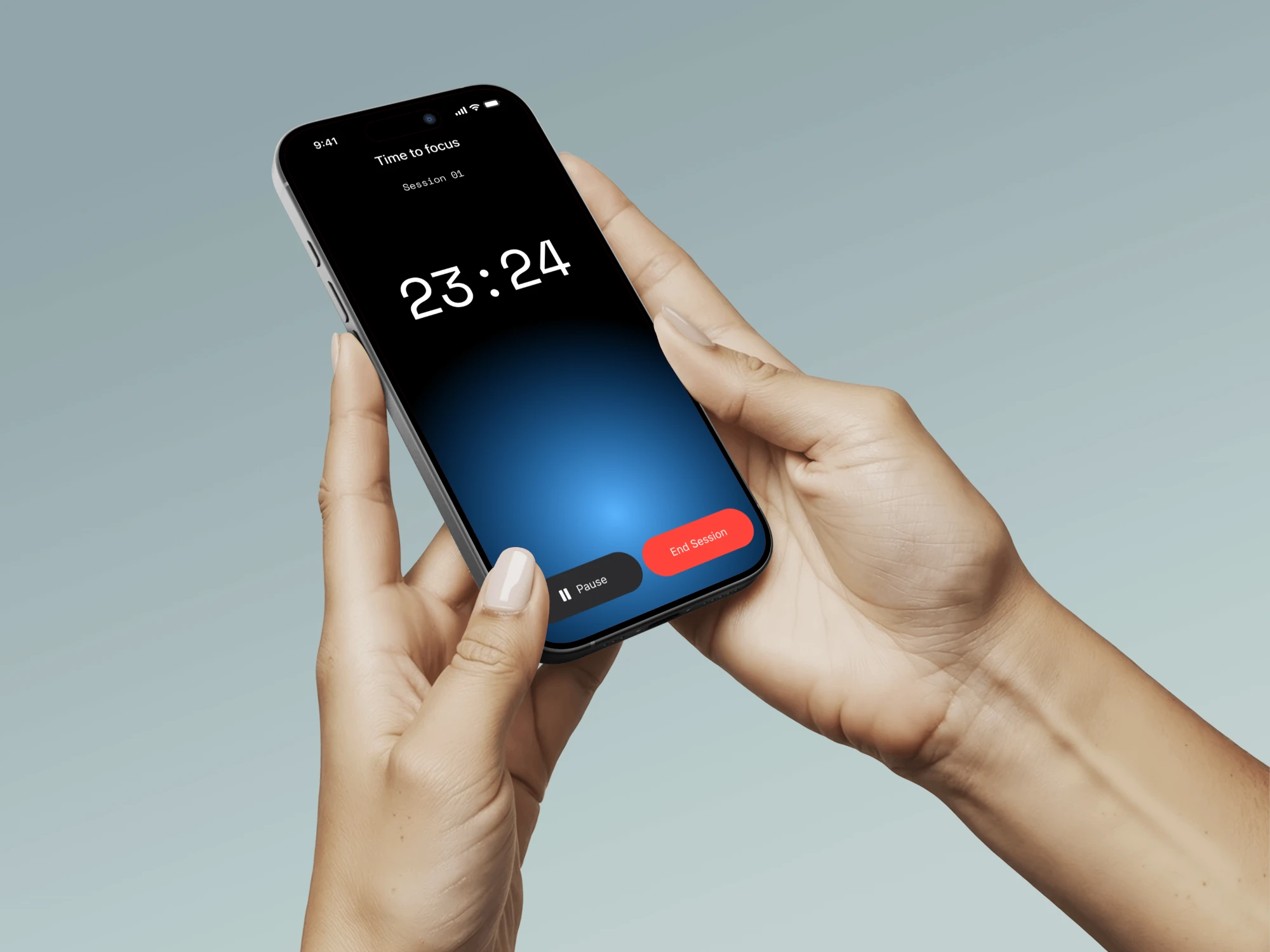
A minimalistic focus and break timer that monitors your working hours and ensures you never forget to take a break.
UI/UX
Design System
Swift
AI
Role
Solo Designer
Category
UI/UX, Engineering, AI
Timeline
7 days & counting
Programs used
Figma, Antigravity, Swift
About
Problem
It’s quite common for people who work at desks to forget to take regular breaks. They need someone or something to remind them to do so.
Solution
“Stillwork”, a minimalist, focus, and break timer application that enables you to set a session-based timer which notifies you when it is time for a break, whether through sound, haptics, a notification, or a simple glance at the screen. “Stillwork” ensures that you stay focused and productive during your work sessions.
Process
Project Research -> Paper wireframes -> Hi-Fi wireframes -> Design System + Components -> Building with Antigravity -> Working App (Still in the process)
Research
As an individual who required an application similar to this one to assist me in managing my time effectively and working extended periods without taking breaks, I documented my ideas and conducted research on what was feasible online, defined the scope of my project, and outlined my objectives for this application.
I evaluated the essential features for me and the potential functionality of the app. I concluded that in version 1, multiple timers are unnecessary; only one timer should be focused on at a time. Given that I am developing it in Swift, I aimed to create a product as close to an iOS native application as possible. With this approach, I created a minimal version for version 2 using Apple’s default color system and numerous components from their library.
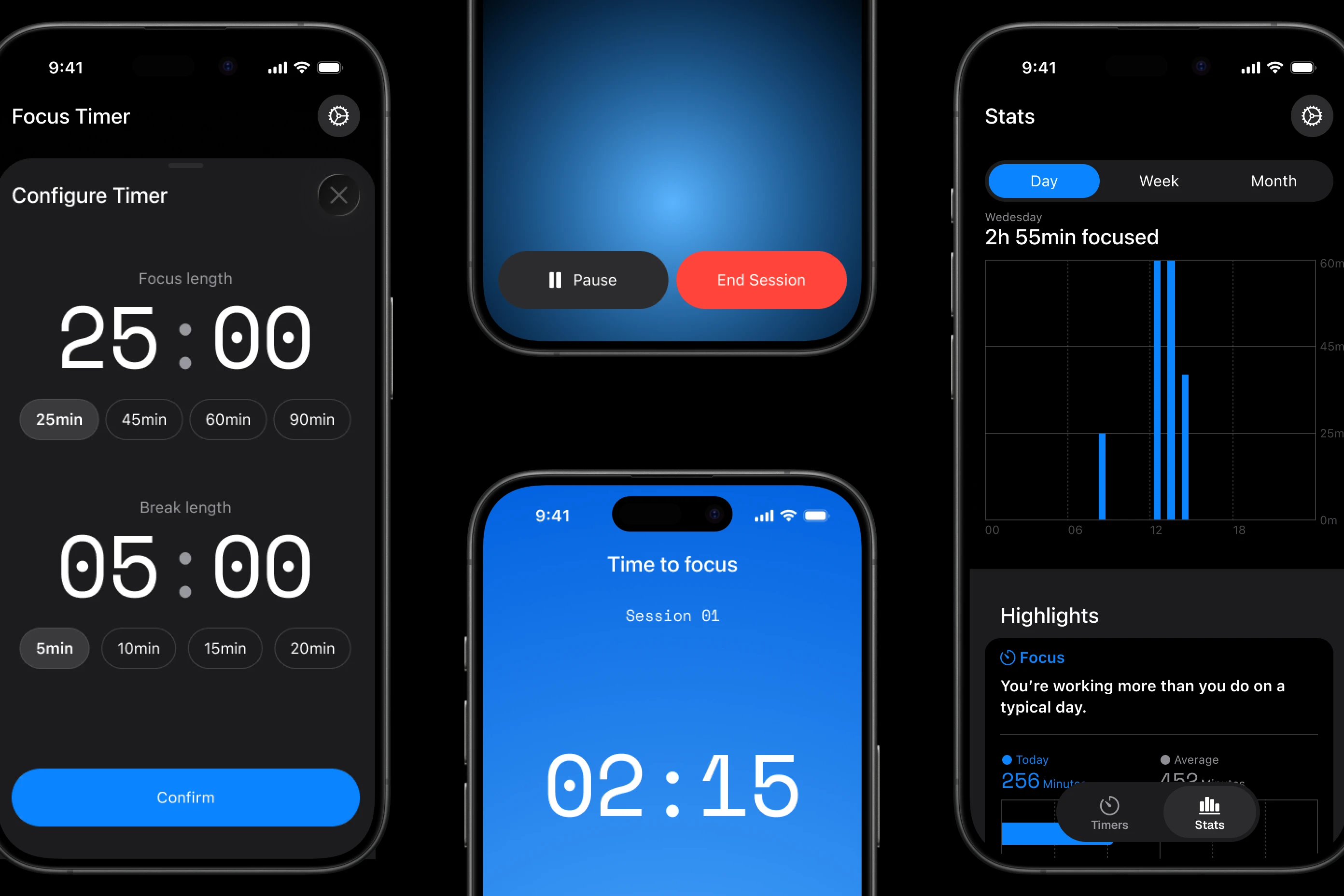
Based on expert recommendations, I selected a timer that enables users to select four focus and four break timer lengths. The longest timer should be 90 minutes, as this is the optimal duration for a user to work without losing focus before taking a break.
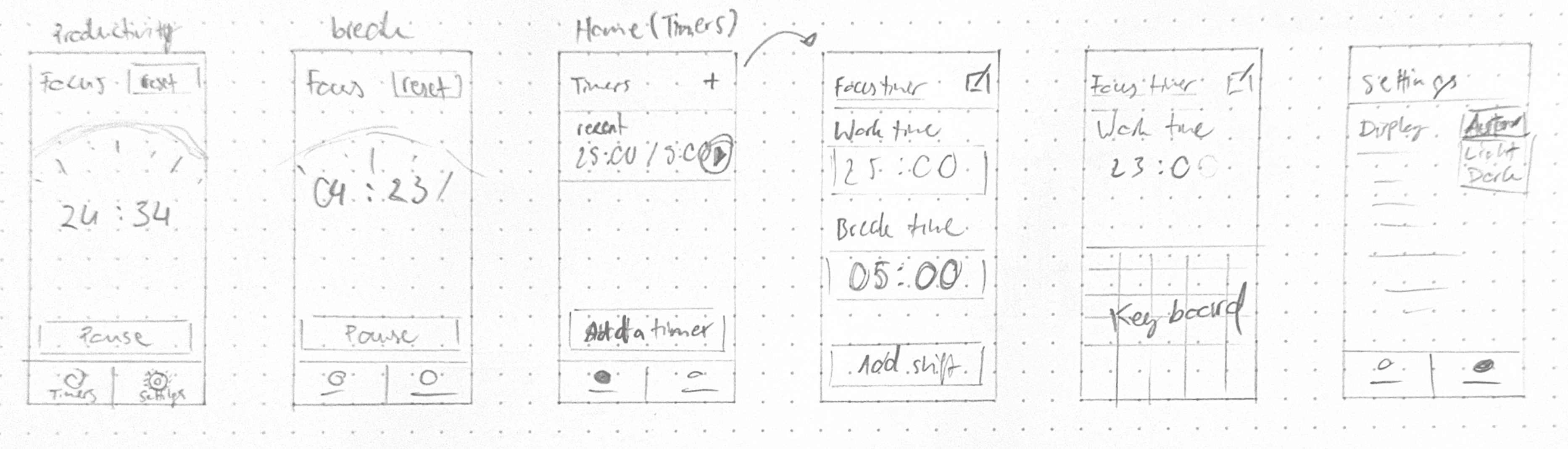
Paper Wireframes
This was a starting point on how I thought the app may look at v1.
Hi-Fi Wireframes
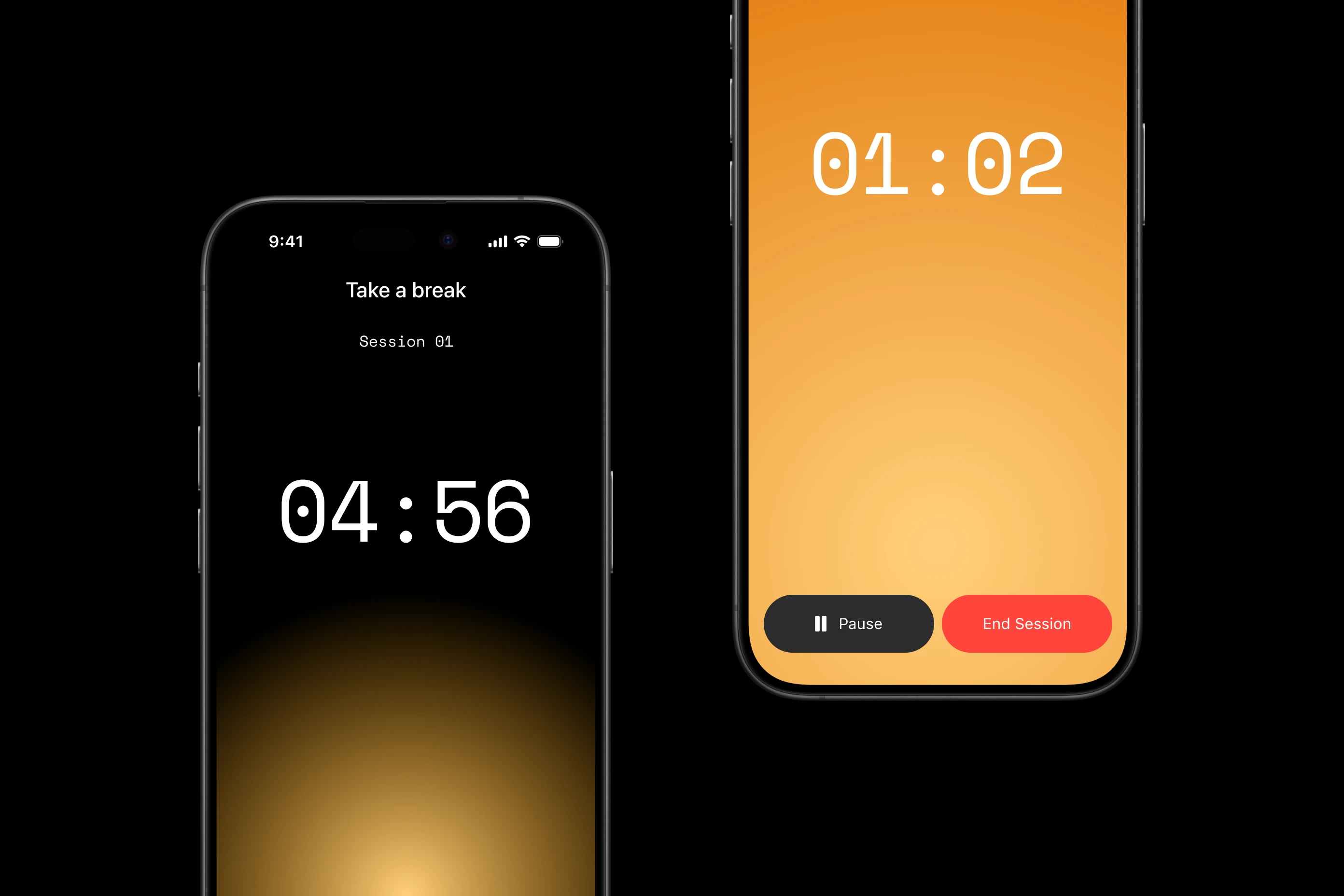
I have developed a style inspired by the Louder Keyboard widget, which also featured a Pomodoro timer. The Arc widget evolved into a circular shape that fills with a gradient as the timer progresses.
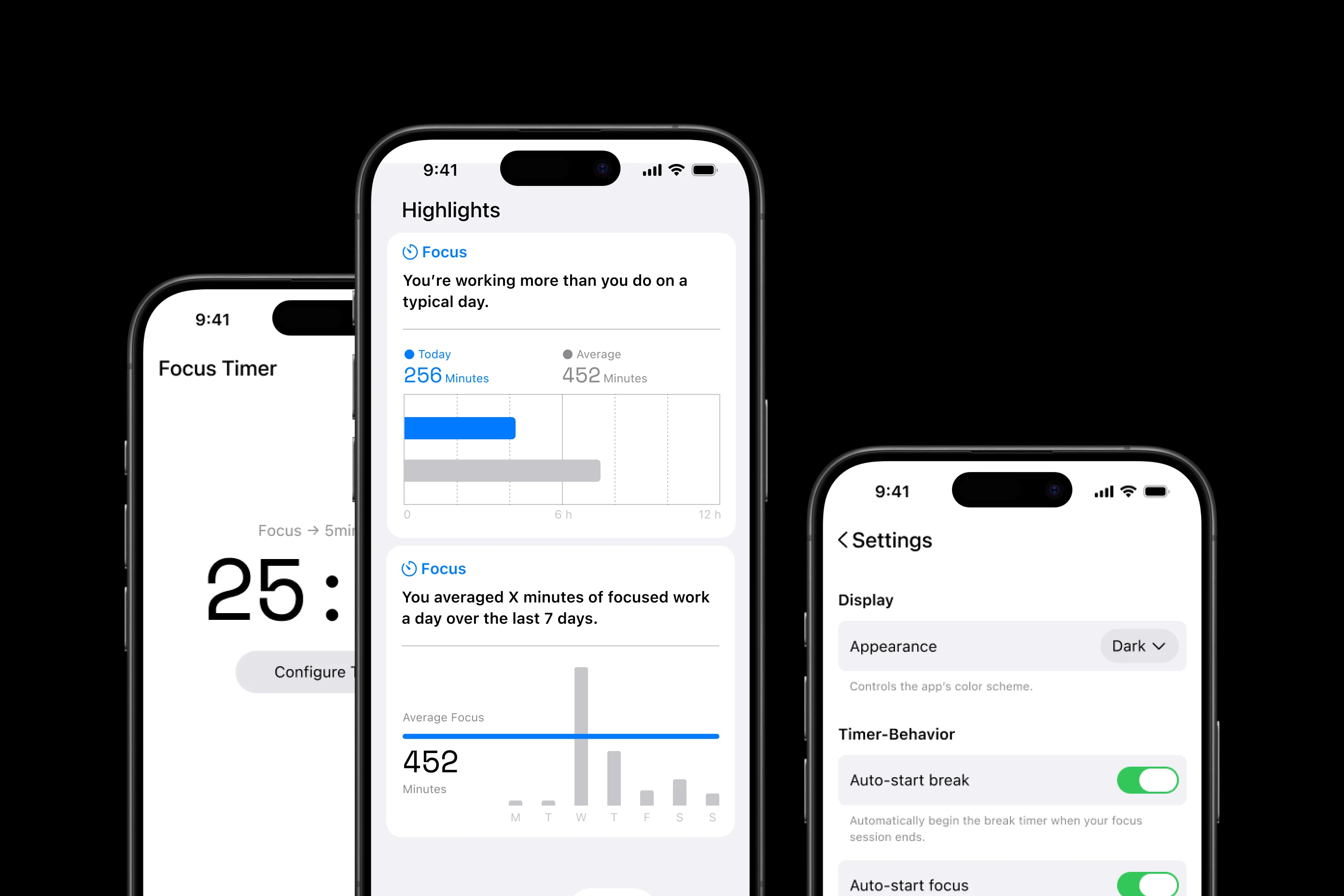
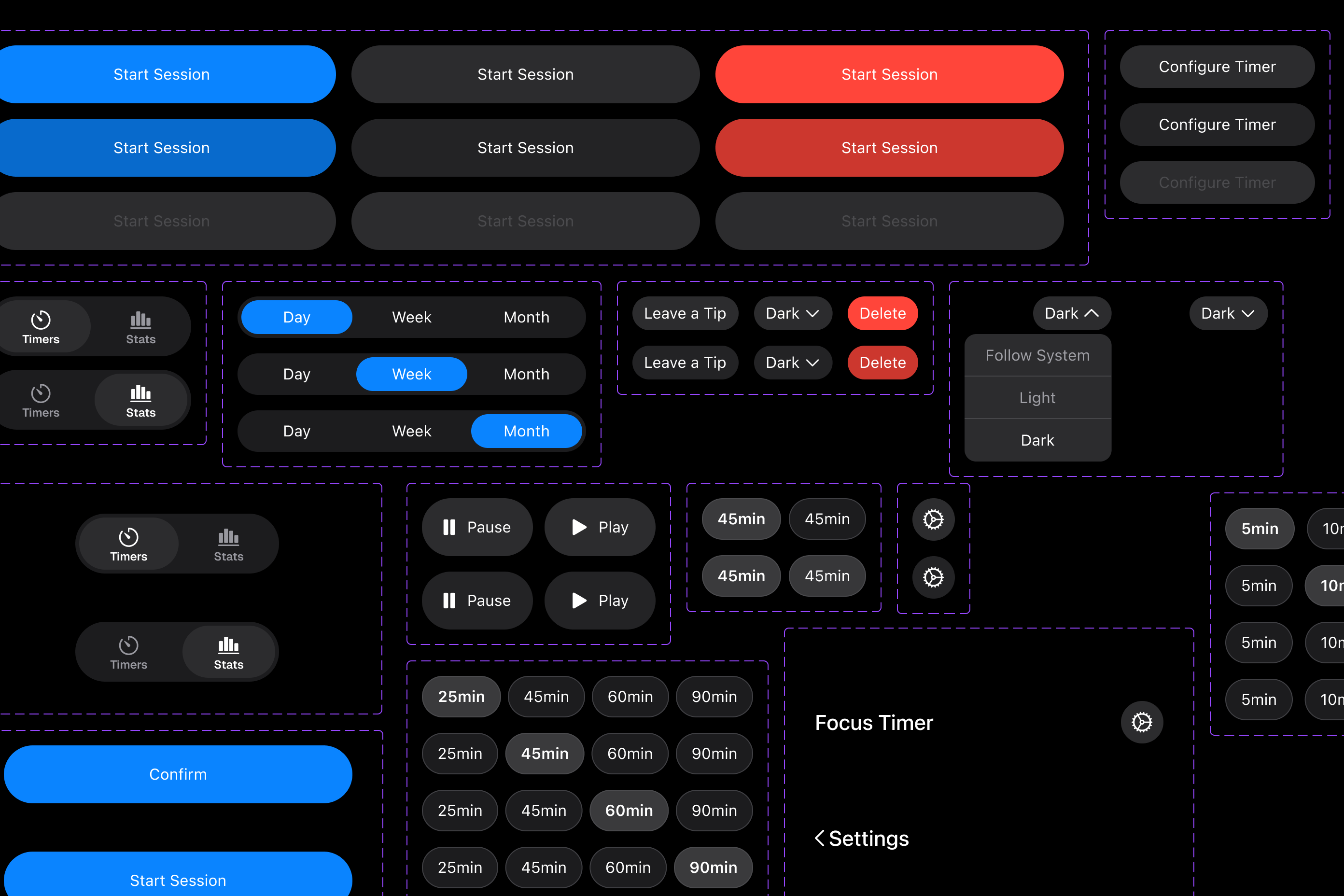
Design System + Components
This design system has been developed in accordance with Apple’s Human Design Guidelines, utilizing the primary color from Apple’s Design System to ensure that the application exhibits a native iOS appearance and feel. The components were initially created and configured in Figma, and subsequently transferred to a .swift file using Antigravity.
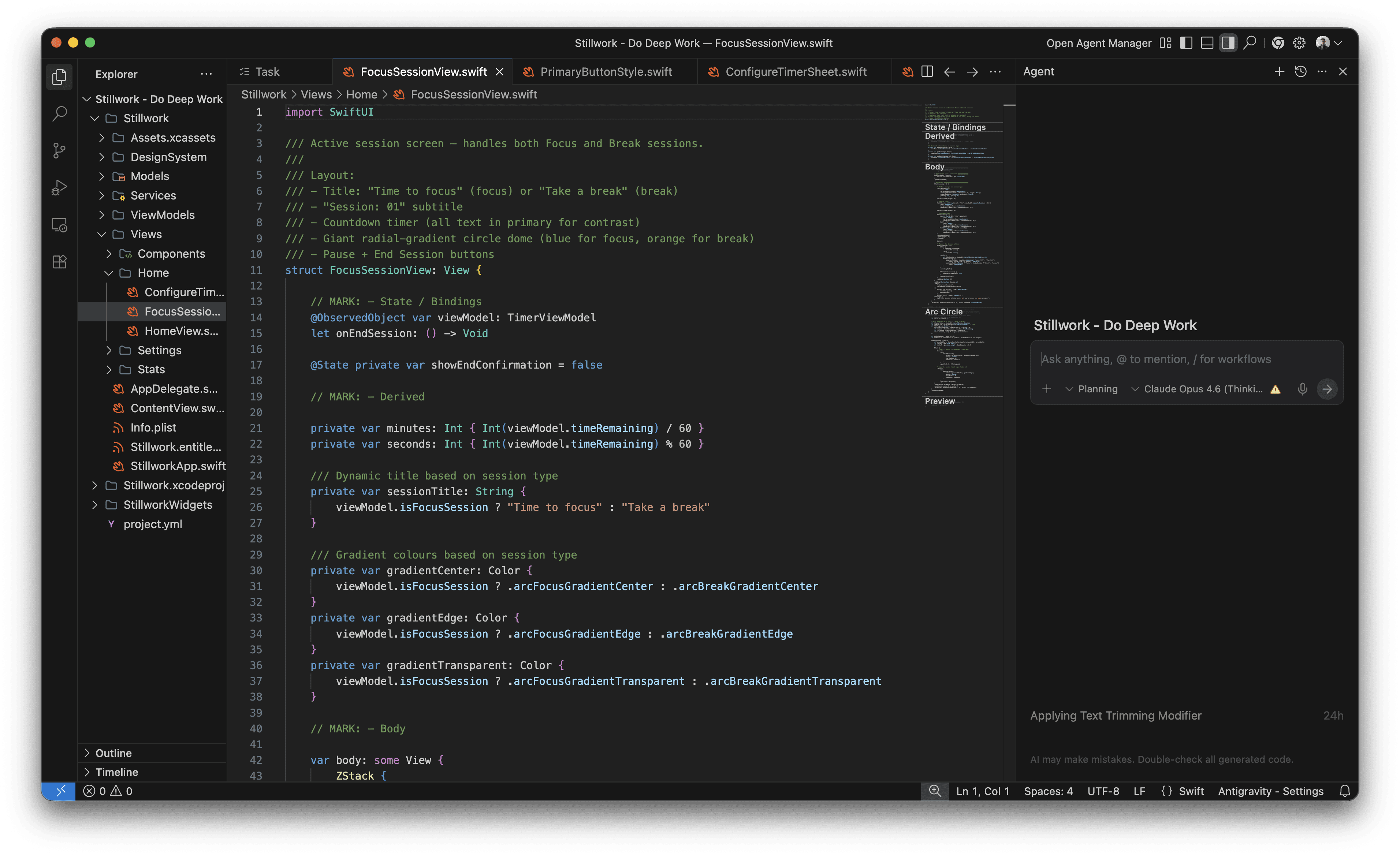
Building with Antigravity
By connecting my MCP Server to my design system and components, I was able to recreate them in code. This allowed me to focus on design, utilizing my expertise, while AI handles the coding of my application.
When working with Antigravity or other agentic AI tools, it is most important to know the context, the language, and how to articulate your wishes.
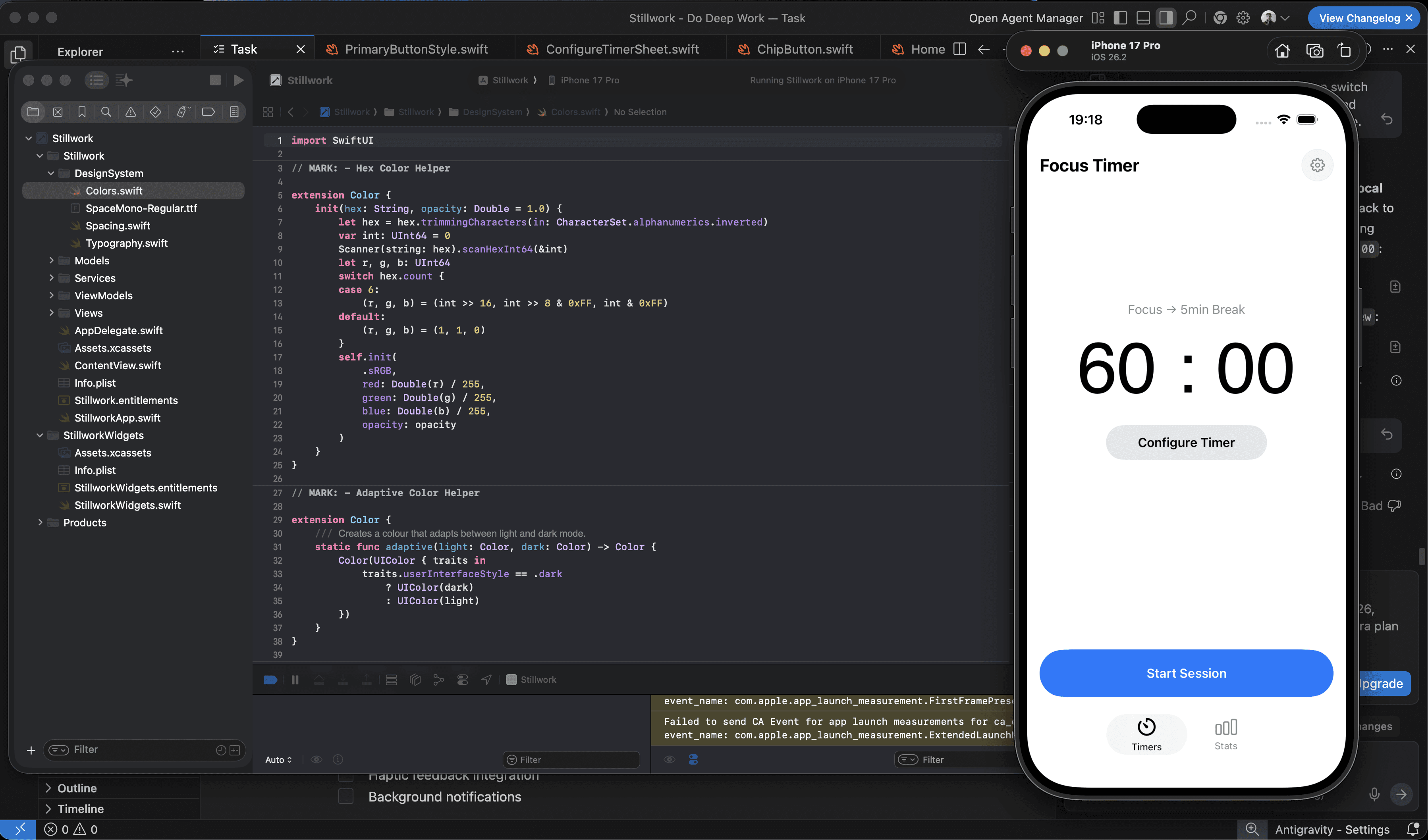
Working App
While the App is still a work in progress, it runs on code natively on iOS using swift. Below is a preview of what the app may look like once it is released.
Next steps
The App needs an icon, an onboarding design, App Store screenshots and the stats page is yet to be written.